Guide
How to export your Trade Republic transactions as CSV
Published · Updated
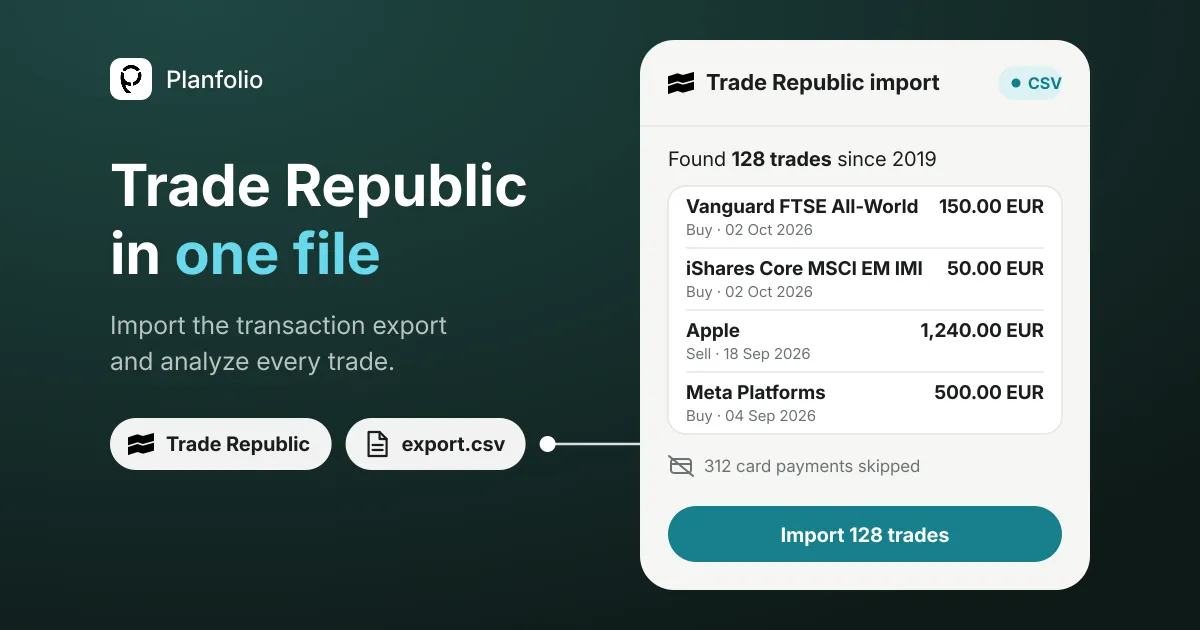
Trade Republic exports your whole transaction history as one CSV file. In the Trade Republic app, go to Profile, then Account Statements, then Transaction Export, choose All transactions or a period and tap Create. The file lists every buy, sell, savings plan execution, dividend and cash booking since you opened your account, one row per booking.
How to download the Trade Republic CSV export
- Open the Trade Republic app and go to Profile, then Account Statements, then Transaction Export.
- Choose All transactions (or a period) and tap Create.
- Save the file on your phone, for example in Files or Downloads.
Trade Republic has offered this export since April 2026. Before that, the only way to get your trades out was one settlement PDF (“Abrechnung”) per trade: with a monthly savings plan, twelve PDFs a year for every ETF.
What is in the file
The export is one table with one row per booking, for your securities account and your cash account together. These are the columns that matter for your investments:
| Column | What it holds |
|---|---|
date | The day of the booking |
category | TRADING for buys and sells, CASH for cash bookings (dividends, interest, card payments, transfers), CORPORATE_ACTION for splits, mergers and share exchanges |
type | The kind of booking within its category, for example DIVIDEND |
name, symbol | The name of the security and its ISIN |
shares | The number of shares. A negative number means the shares left your account, so a sell |
price | The price per share |
amount | The gross amount. Fees and taxes have their own columns |
fee, tax | The fees and taxes of the booking |
currency | The currency of the amounts |
transaction_id | Trade Republic’s unique ID for the booking |
The file also has columns for card payments and transfers: the counterparty, the IBAN, the payment reference and the merchant category. Planfolio never reads them.
You can open the file in Excel, but a spreadsheet doesn’t know today’s prices, splits or what your ETFs hold, so your real return is hard to work out by hand: a portfolio tracker does that for you.
Import the export into Planfolio
- In Planfolio, open Import Accounts and pick Trade Republic.
- Tap Import data export, then Choose CSV file, and select the export.
- Check the trades Planfolio found and confirm. Nothing is saved before you confirm.
Securities are matched by ISIN. You are only asked when a match is unclear. The file is read on your phone, only the trades are kept, and your portfolio is stored end-to-end encrypted.
| What happens | Which rows |
|---|---|
| Imported | Buys and sells of stocks and ETFs, including every savings plan execution, with fees |
| Calculated, not imported | Dividends and stock splits. Planfolio derives them from each security’s dividend and split history, so nothing is counted twice |
| Skipped | Card payments, bank transfers, interest and other cash movements. Planfolio tracks your investments, not your spending |
Once your trades are in, Planfolio rebuilds every position from your history:
- Real performance. IRR and time-weighted return per position and for the whole portfolio, so regular savings plan deposits don’t distort the result.
- Holdings X-ray. Your true exposure per security, including what your ETFs hold.
- Six quality scores per holding. Health, growth, margin, price, return and stability, from each company’s fundamentals.
- Dividends. The payouts you received, calculated from your holdings, plus your dividend outlook for the next 12 months.
- Health check. How your portfolio scores against your own strategy. What it checks: portfolio health check.
Keep it up to date
Trade Republic has no live connection to Planfolio, so new trades come in the same way: export the latest month and import it. Trades that are already in your portfolio are recognized by their Trade Republic transaction ID and skipped.
FAQ
How far back does the Trade Republic export go?
With All transactions, back to the day you opened your account. You can also pick a period, for example one year.
Are dividends in the export?
Yes, as CASH rows with the type DIVIDEND. Planfolio doesn’t import them from the file but calculates them from each holding’s dividend history, so a dividend is never counted twice.
Can I import the export into Planfolio for free?
Yes. The import is free on iOS and Android. If you are new to Planfolio, your first import also starts a 14-day Pro trial, no card needed. You need the latest version of the app.
Try it
Export your Trade Republic history and see your whole portfolio in one place.